
How Ransomware Actually Gets Into Small Businesses: A Step-by-Step Breakdown
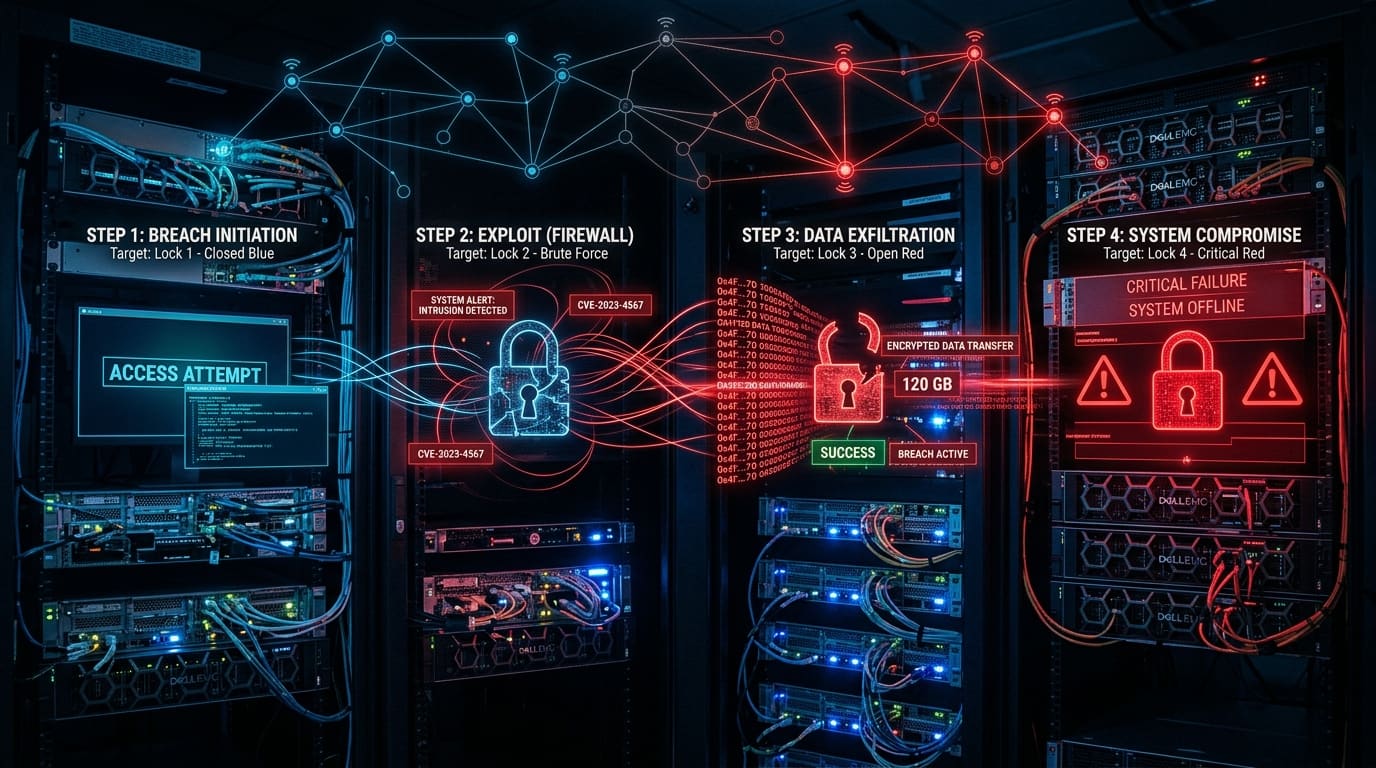
Learn the exact step-by-step kill chain cybercriminals use to infiltrate small businesses, compromise networks, and deploy ransomware—and how to stop them.
When small business owners picture a ransomware attack, they usually imagine a movie scene: an employee clicks a bad link on a Tuesday morning, a scary red skull instantly pops up on screen, and within five seconds every file across the entire company is locked up.
This widespread belief is not just inaccurate—it is dangerous.
It leads business leaders to believe that ransomware is an instantaneous act of God that happens by random bad luck. In reality, modern ransomware attacks against small and mid-sized businesses (SMBs) are methodical, human-operated operations. Cybercriminals don't detonate ransomware the second they break in. Instead, they quietly establish a foothold, map out your network, harvest admin credentials, exfiltrate sensitive data, destroy your local backups, and wait for the precise moment to strike—often late Friday night or during a holiday weekend.
In cybersecurity, this multi-stage attack lifecycle is known as the Cyber Kill Chain. In this article, we take a step-by-step look inside how ransomware operators actually breach small business networks—and how you can break the chain at every phase.
The 5 Phases of a Modern Ransomware Attack
Ransomware groups today function like sophisticated criminal enterprises. Many operate under a Ransomware-as-a-Service (RaaS) model, where core developers write the encryption payloads while specialized "affiliates" focus strictly on gaining access to business networks.
Here is the exact step-by-step process attackers use to compromise an SMB:
[Phase 1: Initial Access] ➔ [Phase 2: Execution & Persistence] ➔ [Phase 3: Reconnaissance & Escalation] ➔ [Phase 4: Exfiltration & Neutralization] ➔ [Phase 5: Mass Encryption]
Phase 1: Initial Access (Breaking Through the Perimeter)
Before an attacker can encrypt your files, they have to find a way onto your network. Attackers generally don't waste time targeting individual small businesses manually; instead, they run automated internet-wide scans looking for three primary entry points:
1. Weaponized Phishing Emails & Loader Malware
Phishing remains responsible for nearly 41% of all initial access vectors. However, attackers rarely attach raw ransomware files directly to an email anymore. Instead, they send convincing emails—such as a fake invoice, a spoofed vendor inquiry, or a voicemail notification—containing a compressed zip file, malicious PDF, or OneNote document.
Opening the file executes a lightweight "loader" malware (such as Qakbot, DarkGate, or Pikabot). The loader's sole job is to establish an encrypted back-door connection to an external Command and Control (C2) server operated by the attacker.
2. Exploiting Unpatched Network Edge Devices
Small businesses frequently run firewalls, VPN gateways, and edge routers with outdated firmware. Attackers run automated scripts using public databases (CVEs) to scan IP ranges across regions like Charlotte and the Carolinas for known vulnerabilities.
If your VPN appliance or firewall hasn't been patched against a critical vulnerability disclosed six months ago, an attacker can bypass authentication entirely and gain direct access to your internal network.
3. Exposed Remote Desktop Protocol (RDP) & Credential Spraying
Remote Desktop Protocol (RDP) allows employees to work remotely by connecting to an office PC or server. If RDP is exposed directly to the public internet without a secure VPN or Multi-Factor Authentication (MFA), attackers use automated bots to attempt thousands of common username and password combinations (credential spraying) or buy leaked credentials from dark web brokers for as little as $10.
Phase 2: Execution & Persistence (Establishing a Foothold)
Once initial access is secured, the attacker's priority is ensuring they don't lose access if the employee restarts their PC or closes their email client.
Living off the Land (LotL)
To avoid triggering traditional signature-based antivirus software, attackers use native Windows tools already present on your system—a tactic called Living off the Land (LotL).
They execute commands through:
- PowerShell: Running obfuscated scripts directly in system memory.
- WMI (Windows Management Instrumentation): Executing administrative tasks across machines.
- Certutil & Bitsadmin: Using legitimate Windows file transfer utilities to download secondary attack tools.
Installing Remote Management & C2 Tools
To maintain reliable access, attackers install legitimate remote administration software (such as AnyDesk, ScreenConnect, or TeamViewer) or deploy offensive frameworks like Cobalt Strike or Sliver. Because these tools are widely used by legitimate IT helpdesks, basic security software often ignores them, allowing attackers to move freely.
Phase 3: Internal Reconnaissance & Privilege Escalation
At this stage, the attacker is inside your network, but they may only have access to a low-level workstation user account. This phase—which can last anywhere from several hours to several weeks—is spent mapping out your environment.
1. Network Enumeration
Attackers deploy lightweight command-line scanners to discover every connected device on your network:
- Where are the domain controllers located?
- Where are the SQL databases and file servers?
- Where is the Practice Management, Accounting, or ERP system hosted?
- Which devices hold patient charts (ePHI) or client financial records?
2. Credential Harvesting & Mimikatz
To control your network, attackers need administrative credentials. They execute memory-dumping tools like Mimikatz or procdump to extract cached plaintext passwords and Kerberos hashes stored in the Windows LSASS (Local Security Authority Subsystem Service) memory of the compromised workstation.
If an IT technician previously logged into that workstation using a Domain Admin account, those credentials are sitting in memory—allowing the attacker to elevate their privileges instantly from a basic user to a Domain Administrator.
Phase 4: Defense Evasion, Exfiltration & Backup Neutralization
With Domain Administrator privileges in hand, the attacker now owns your network. But before dropping the encryption hammer, they take three critical steps to maximize their leverage and ensure you cannot recover without paying:
1. Exfiltrating Sensitive Data (Double Extortion)
Modern ransomware is rarely just about encryption; it is almost always Double Extortion. Before encrypting a single file, attackers use automated transfer tools (such as Rclone or MegaSync) to steal gigabytes of sensitive files—client tax records, patient health files, payroll data, proprietary designs, and internal emails.
If you manage to restore your systems from backup, the attackers threaten to publish this stolen data on public leak sites or notify your clients directly unless you pay.
2. Neutralizing Local & Connected Backups
Attackers systematically hunt down and destroy your recovery capabilities:
- They run commands to wipe Windows Volume Shadow Copies (
vssadmin delete shadows /all /quiet). - They search Active Directory for accounts containing terms like "backup", "veeam", or "nas".
- They log into network-attached storage (NAS) devices or local backup drives connected to the server and format or overwrite the backup repositories.
3. Disabling Legacy Antivirus
Using their elevated admin rights, attackers push scripts across all endpoints to stop security services, uninstall legacy antivirus tools, or add exclusion folders where the ransomware payload can run unmonitored.
Phase 5: Mass Encryption & Extortion (The Detonation)
Now—and only now—does the ransomware payload detonate.
Attackers use your own centralized management infrastructure (such as Active Directory Group Policy Objects, PowerShell scripts, or compromised RMM tools) to push the ransomware executable to every server, desktop, and laptop simultaneously.
- Within minutes, millions of files are encrypted using unbreakable AES-256 and RSA-4096 cryptographic keys.
- File extensions change (e.g.,
.locked,.crypted,.ransom). - Ransom notes (
READ_ME.txtorDECRYPT_INSTRUCTIONS.html) are generated on every desktop, directing you to a Tor dark web portal with a timer demanding payment in Bitcoin or Monero.
How to Break the Ransomware Kill Chain at Every Step
Understanding that ransomware is a multi-step process gives small businesses a massive advantage. You do not need to be invulnerable; you simply need to break the kill chain before the attacker reaches Phase 4.
Here is how modern layered security stops attackers cold:
| Attack Phase | Attacker Action | Technical Control That Stops It | | :--- | :--- | :--- | | Phase 1: Initial Access | Phishing, RDP Brute Force, Unpatched VPN | Zero-Trust MFA on all remote/M365 accounts, strict patch management, DNS filtering. | | Phase 2: Execution | PowerShell scripts, C2 frameworks, LotL | Endpoint Detection & Response (EDR) with behavioral AI to block unauthorized script execution. | | Phase 3: Escalation | LSASS memory dumping, Mimikatz | Credential Guard, Role-Based Access Control (RBAC), LAPS (Local Admin Password Solution). | | Phase 4: Exfiltration | Backup deletion, shadow copy wipe | 3-2-1-1 Immutable Cloud Backups (air-gapped & write-once storage that admin credentials cannot delete). | | Phase 5: Detonation | Mass file encryption | Managed EDR / MDR with 1-Click Rollback (instantly reverting encrypted files to pre-attack state). |
Why Legacy Antivirus Is No Longer Enough
If your small business relies on traditional, signature-based antivirus software, your network is severely exposed. Traditional antivirus only recognizes threats that have already been cataloged in a signature database. Ransomware operators re-compile their code for almost every target, ensuring zero signature matches.
Modern cyber defense requires Endpoint Detection and Response (EDR) powered by autonomous behavioral AI (such as SentinelOne). Rather than looking at what a file looks like, EDR monitors what a process does.
If a process suddenly attempts to access LSASS memory, disable shadow copies, and rapidly alter file headers, EDR instantly isolates the device from the network, terminates the process, and automatically rolls back any modified files to their original state.
Protect Your Small Business with eSmith IT Consulting
Ransomware attacks against small businesses are not inevitable. With the right security architecture, proactive monitoring, and immutable backup systems in place, you can eliminate over 99% of ransomware attack vectors.
At eSmith IT Consulting, we specialize in protecting small and medium-sized businesses across Charlotte and nationwide:
- 24/7 Managed EDR & Threat Hunting: Deploying enterprise SentinelOne protection with 1-Click Rollback technology.
- Zero-Trust Access Control: Enforcing Microsoft Entra ID Conditional Access, universal MFA, and least-privilege network policies.
- 3-2-1-1 Immutable Backups: Securing your servers and Microsoft 365 data with air-gapped, ransomware-proof cloud vaults.
- Proactive Patch & Vulnerability Management: Ensuring your firewalls, VPNs, and endpoints are updated before vulnerabilities can be exploited.
Learn more about our comprehensive cybersecurity and backup services, explore our managed IT support in Charlotte, or discover how our cloud migration solutions keep your team secure from anywhere.
Is Your Network Vulnerable Right Now?
Don't wait for a ransom note to discover the security gaps in your business. Contact eSmith IT Consulting today for a confidential, no-obligation Cybersecurity Risk & Ransomware Audit. Our expert engineers will evaluate your perimeter defenses, test your backup integrity, and provide a clear, actionable roadmap to keep your business safe.

About the Author
Kevin Smith
With over 25 years of verifiable IT experience across the Carolinas, Kevin Smith is an industry-recognized expert in Microsoft Cloud deployment, disaster recovery, and HIPAA compliance. As the President of eSmith IT Consulting, establishing secure enterprise infrastructure isn't just theory—it's his daily practice.